

Works with the tools you already use
No need to replace your current setup. Seenic works with the systems your team already uses
Built to connect with your leasing stack
From live availability to distribution and analytics, Seenic connects the systems that power your leasing experience
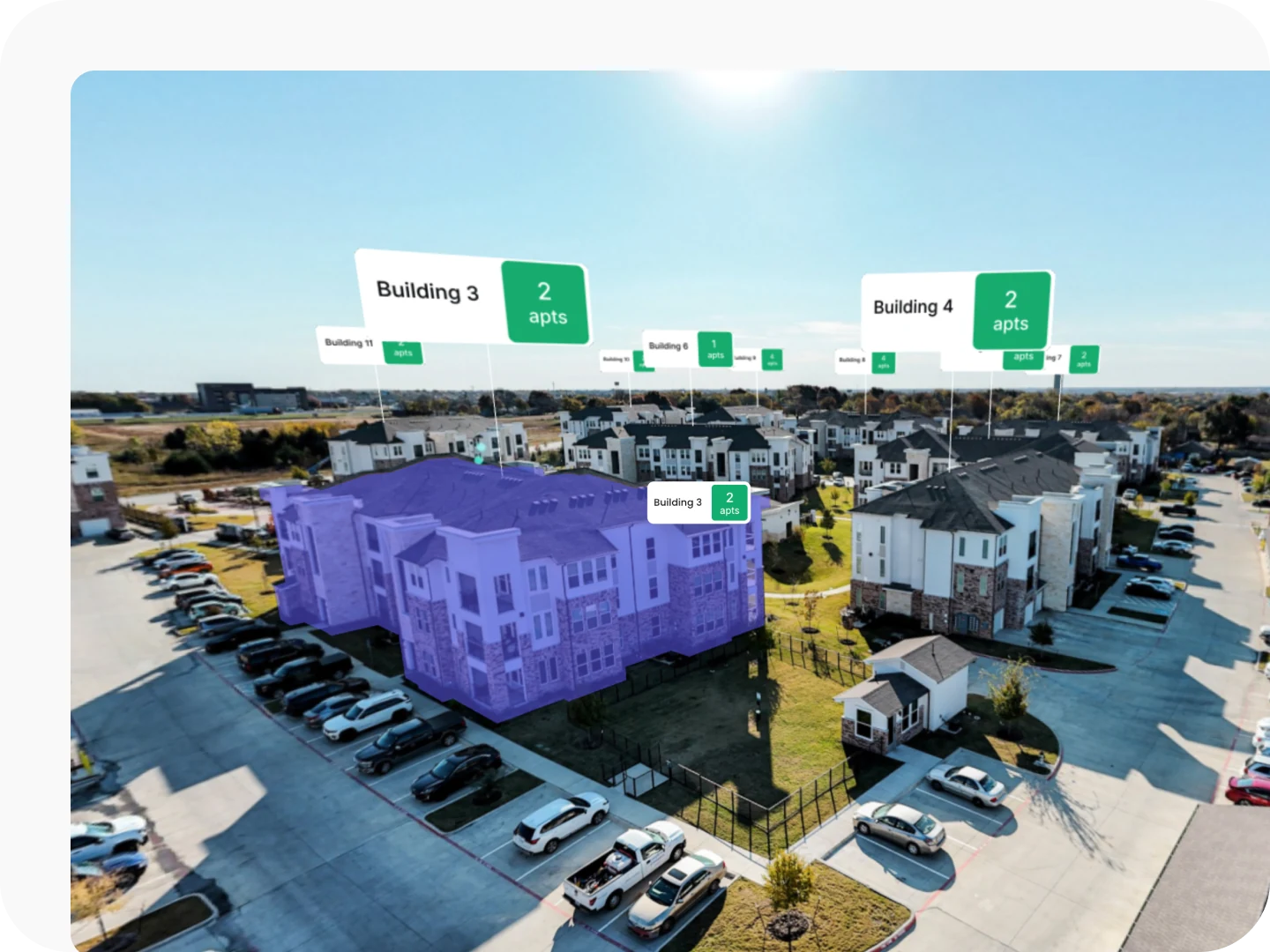
Works with your site map
Seenic works alongside the interactive site map your community already runs — Engrain powers it today, with other providers handled case-by-case. Your map stays the map of record.
- Live availability and pricing, fed from your PMS through your site-map provider
- Click-to-unit selection wired into the 3D Explorer
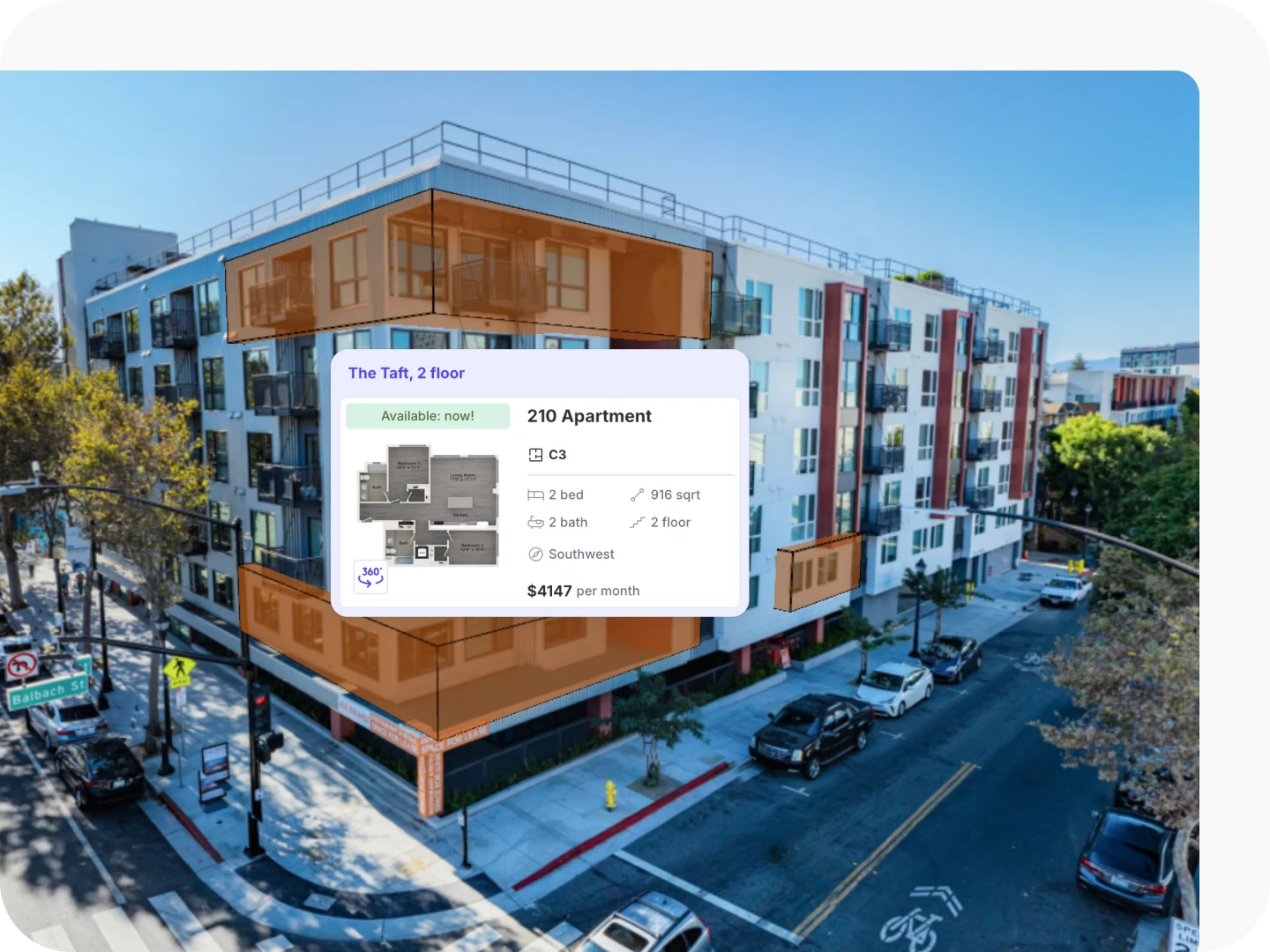
Keeps unit data in sync
Unit data, availability, pricing, and floor-plan names flow from your PMS through your site-map provider, synced three times a day. Direct integration is available per portfolio, on request.
- Data mirrored from your source of truth, synced automatically
- Read-only by design — Seenic never edits your data

Carries tours across channels
Seenic tour links are approved by all major ILSs and travel anywhere a link can go — listings, emails, social, landing pages. Your existing distribution carries them; Seenic just feeds it richer media.
- Linked to units through your PMS
- CSV of every link, with UTM guidance to track each channel
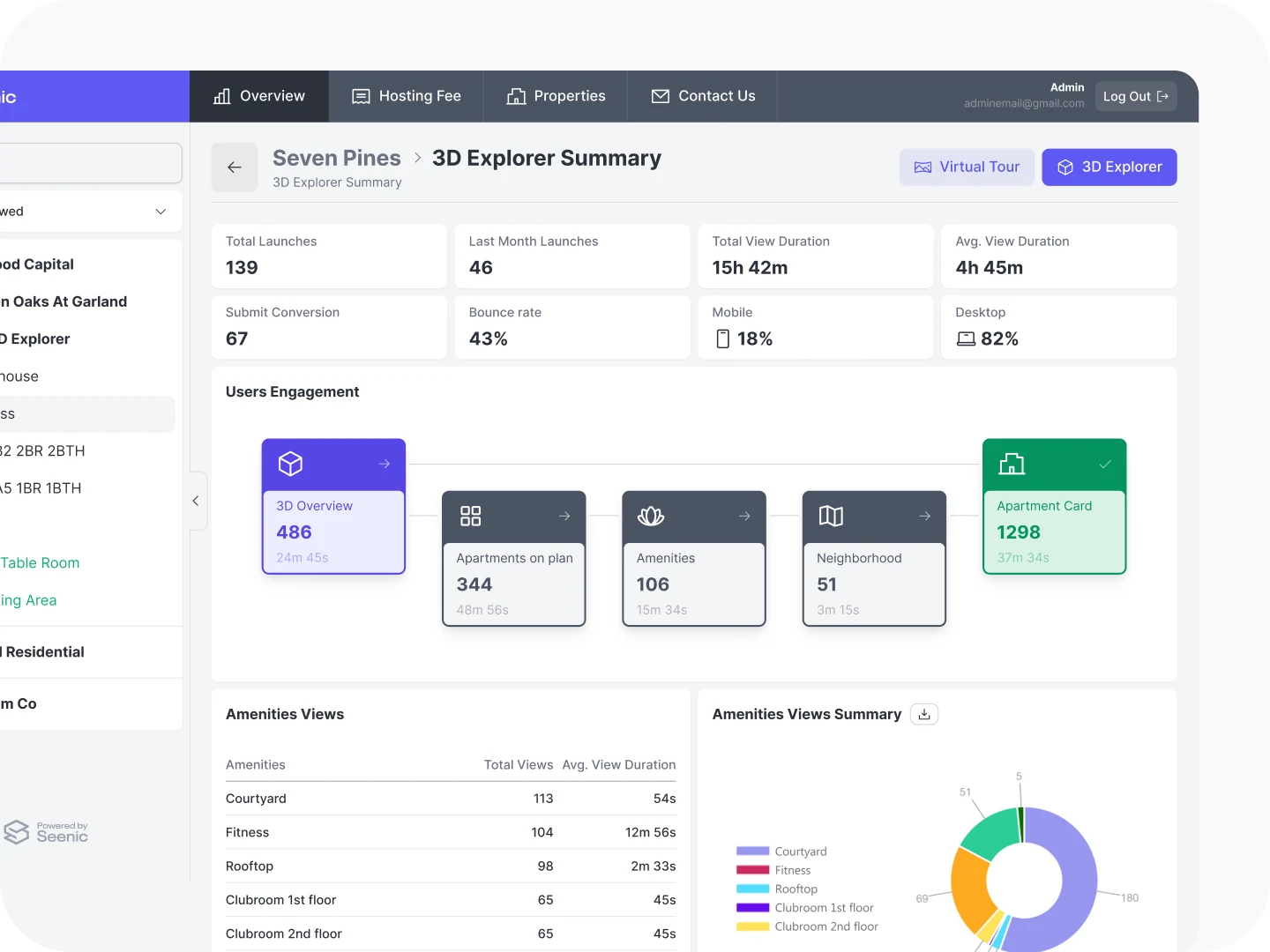
Feeds GA4, never replaces it
Seenic pushes tour events into the GA4 property you already own, so engagement shows up in your full-funnel picture. You keep one analytics home; Seenic just feeds it.
- UTM tracking to attribute engagement to website, ILS, or campaign
- You own the data — Seenic contributes, never locks it in
Player + API, connected to your stack
Embed the Seenic Player on your site and connect it to your own interface. The REST API gives your team access to unit data, pricing, floor plans, and images. Both are included with every deployment.
Free with every deployment
Your stack stays yours
If you've invested in Engrain, we use Engrain. If your team lives in GA4, we feed GA4. Seenic is open and independent, with no lock-in - you own and control your content, and the license is assignable if an asset trades

Plays with your tools
Works alongside Engrain, Pynwheel, Beans, or Yardi's interactive site map.
Drop it in anywhere
Embeds in any website via iFrame or public API.
Data where you want it
Feeds engagement data into your existing GA4 — not a replacement for your analytics stack.